
Ugh, Google, what..?!
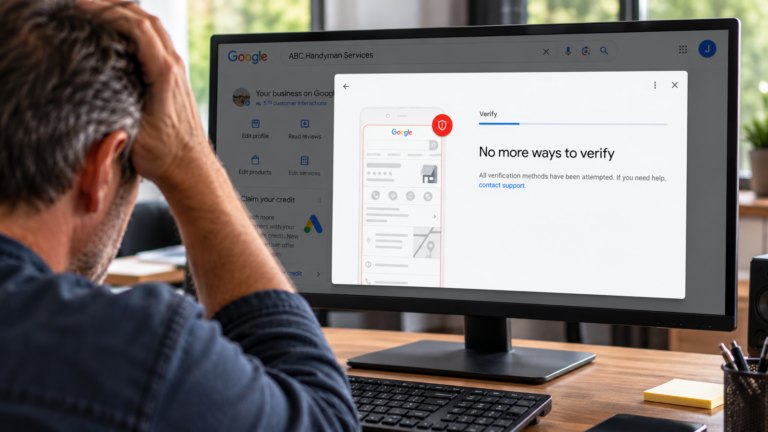 I don’t know why Google tells people there are no more ways to verify a Google Business Profile when there is.
Here’s what happens.
- You get the video verification option. You do everything they ask for and they reject it.
- You do it again, pretty much the same way you did before because it was perfect.
- It gets rejected again.
- And again
- And again…
Eventually it times out. Instead of a video upload form, you see:
“No more ways to Verify”
A dead end. Right?
No, actually there is a way to continue.
It’s well hidden, but pretty easy and straightforward when you know the steps.
Here’s the trick – it’s going to look like you’re going in a loop and not getting anywhere.
But follow this through and you’ll get there.
Start by collecting digital copies/scans of your evidence. Your evidence should include:
- Your trade license (if applies)
- Business license or LLC registration
- A recent utility bill with the address you’re verifying
- Pictures of your signage/branding/storefront (permanent signage is not required for a home-based business, but if you have a branded vehicle, brochures, business cards, include pictures of them)
- Pictures of your tools or equipment.
- If you’re a member of the BBB or have online profiles on a trade or other third party site (not social media that you created), make a list of those links to include as evidence.
Now, go to Google Business Profile support.
I know you’ve been there, I know you don’t want to go back. But that’s where this starts:
- Under ‘How can we help?'” enter: “No more ways to verify” then click “next”
- Select “no way to verify offered” then click “next step”
- Click “next step” again. Don’t fall for their efforts to get you on another path.
- Under the “contact options”, you should see a “Get help with Verification” button. I know… hang with me and keep going.
- Make sure you are in the same Google account that owns/manages the profile, and click “confirm”
- Select the business you are verifying and click “continue”
- Then you will get a link that says “contact our support team” – again, you aren’t looping, keep going, click on that
- You’ll get to a contact form. Select “My business is not verified”
- Complete the form that appears. Upload your evidence (business license/LLC registration, utility bill, pictures). Briefly state your argument for verification in the text area and include your third-party links.
Submit the form and await their reply.
Hopefully you will soon hear that you’re verified.
But if not, I’m happy to help one-on-one.
As long as your business is legitimate and you have evidence of that, I should be able to get you verified.
In fact, if I take your case, I guarantee I will get you verified, or your money back.
Contact me using the form below: